

A maintenance log is a list of what was done to a machine, when, and what it cost. That is all it is. Most small businesses do not have one, and find out the day the mower will not start and nobody can say when the oil was last changed.
You do not need software to keep one. You need one page for each machine, a habit of writing on it the same day, and a date or a meter reading for the next job. This guide shows how to set that up in an afternoon, for a van, a mower, a generator, a boiler or a shelf of power tools.
What a log is for
Four reasons, in the order a small business usually feels them.
- You stop servicing by memory. “It was done in the spring, I think” is how a 100-hour oil change becomes a 250-hour one.
- You see what a machine really costs. A mower that has had four repairs this year may be costing more than the payment on a new one. You cannot see that from a drawer of receipts.
- You can prove the work was done. A warranty claim, an insurer, a buyer, or an inspector may ask for the service history. The rules about which records you must keep, and for how long, differ by country and by type of equipment, so check what applies to yours.
- Somebody else can pick it up. When the person who always looks after the van is away, the log says what is due.
Step 1: list what you have
Start with a list of the things that would cost you money or a day’s work if they failed. Leave out anything you would simply replace without thinking, like a hand saw.
For each one write down:
- A name people actually use. “Van 2”, “the big mower”, “Stihl chainsaw”. Not the model number alone.
- Make and model.
- Serial number or number plate. You will want it for parts, warranty and insurance.
- Where it is kept, and who mainly uses it.
- When you bought it and what you paid, if you know.
- What it counts in: hours, kilometres, miles, or nothing at all.
Then give each one a page of its own. This is the step people skip. One long list of jobs for every machine mixed together is easy to start and useless in a year, because you cannot read the history of any one machine from it.
Step 2: write the same things after every job
Every time work is done, write one line. The same few things each time:
| What | Why |
|---|---|
| Date | So you know how long ago it was |
| Meter reading | Hours or distance on the day, if the machine has a meter |
| Kind of work | Service, repair, inspection |
| What was done | ”Oil and filter”, “new drive belt”, “annual safety check” |
| Parts used | With part numbers if you have them, so the next order is easy |
| Who did it | You, a member of staff, or the garage |
| Cost | Labour and parts apart, so you can see which one is growing |
| Next due | A date, a meter reading, or both |
Write it the same day. A log filled in from memory at the end of the month has gaps and wrong dates. Thirty seconds beside the machine is worth more than ten minutes at the desk later.
Log repairs and breakdowns too, not only planned services. The repairs are where the money goes, and a pattern in them tells you something: the same belt twice in a year is a pulley problem, not a belt problem.
Keep the receipt with the line. Staple it to the page, or take a photo.
Step 3: set the next service by date, by meter, or both
There are two clocks on any machine.
- The calendar. Some jobs are due by time whatever the use: an annual inspection, a vehicle test, an insurance check, getting the mower ready before the season and putting it away after.
- The meter. Other jobs are due by use: an oil change every so many hours, a service every so many kilometres. Two identical mowers bought on the same day can need servicing months apart if one does twice the work.
For most engines the right rule is whichever comes first: every 100 hours or every 12 months, for example. The machine that works hard gets serviced by the meter. The one that sits in the shed still gets its oil changed once a year.
Where do the numbers come from? The maker’s manual. It has a maintenance table with the interval for each job. Use that as your starting point, and service more often if the work is dusty, wet or heavy. Do not take intervals from a blog, including this one.
To use the meter you need to read it. Write the reading down every time you log a job, and once a week or once a month on machines that work every day. If a machine has no hour meter, a small stick-on one is cheap, or use the calendar alone.
Which jobs follow which clock, with a worked example, is in service by hours or by date.
Step 4: look at what is due, on a fixed day
A log tells you what happened. It only prevents a breakdown if somebody reads the “next due” column before the date passes.
Pick one moment in the week, such as Monday morning or Friday before you lock up, and go through every page looking only at what is due next. Sort what you find into three piles:
- Overdue. Book it or do it this week.
- Due soon. Order the parts now.
- Later. Nothing to do.
With five machines this takes two minutes. With twenty-five it starts to take long enough that it gets skipped, and that is the point where paper stops working.
Step 5: once a year, read the totals
At the end of the year add up each machine’s page. Two numbers matter:
- What it cost to keep running, labour and parts together.
- How many days it was out of action.
Put them beside what the machine is worth and what a replacement would cost. A machine whose repairs are climbing every year and which lets you down in the busy season is telling you to replace it. The log is how you see that before it becomes an emergency.
Mistakes that kill a log
- One list for everything. Give each machine its own page.
- Only logging services. Repairs and breakdowns are the useful part.
- No meter reading. Without it, hour-based servicing is guesswork.
- No “next due”. A log with no next date is a diary, not a plan.
- The log lives in the office. If it is not where the machine is, it does not get filled in.
- Only one person knows the system. If they leave, so does the history.
A free log sheet
If you want to start today with a pen, the free maintenance log sheet has the columns above. Print one blank for each machine and keep it with the machine, or fill it in on screen and it adds up labour and parts for you. You can save it as a spreadsheet file. It does not upload or store anything: it all happens inside the page.
Doing it on the phone
Asset Log is the same method, with the two things paper cannot do: it finds the right page for you, and it tells you when something is due.
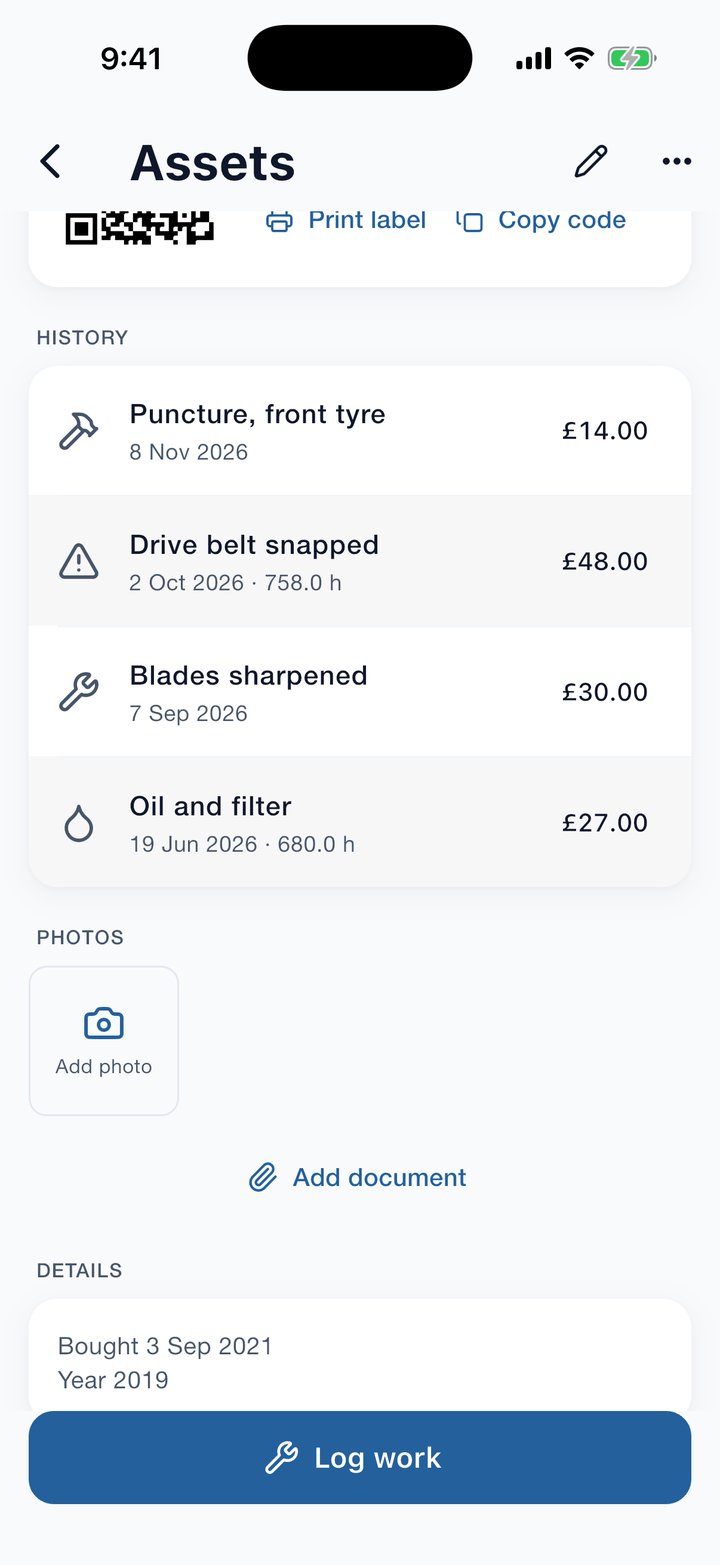
- A page for each asset. Its meter, what has been spent on it, what is due next, and its whole history.
- A QR sticker on the machine. The app prints labels on an ordinary label sheet. Scan the sticker with the phone and that machine’s page opens, so the log is always where the machine is.
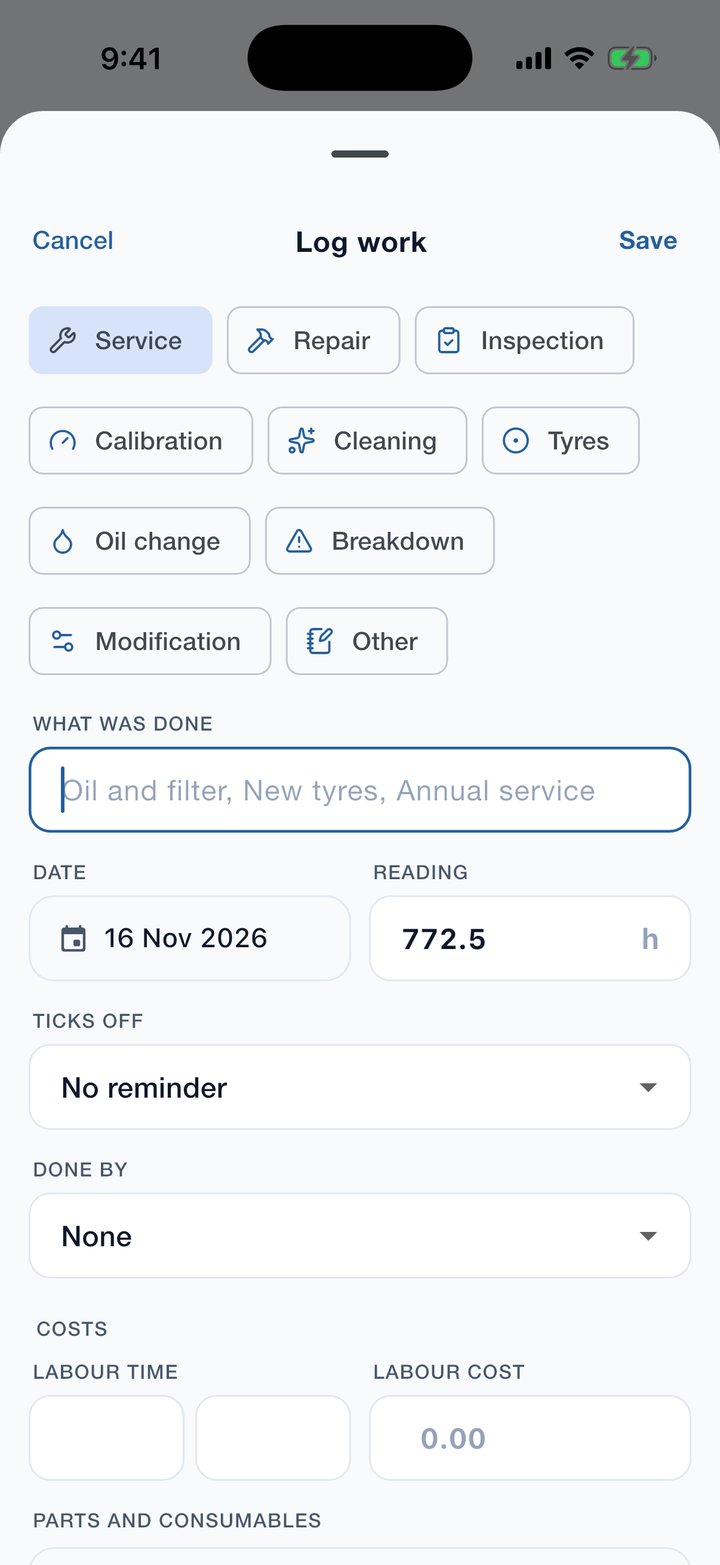
- Logging takes seconds. Pick service, repair or inspection, say what was done, and add labour, parts and photos if you want them.
- Reminders by date, by meter, or whichever comes first. Set “every 100 hours or 12 months” once. Logging the job ticks the reminder off and sets the next one.
- One Due list. Overdue, due soon and later, across everything you own. That is step 4, done for you.
- Check-out. Hand a tool to someone and the page shows who has it and when it is due back.
- Reports. Spend by month and by asset, labour, parts and downtime. That is step 5.
There is no account to make and no limit on how many assets you keep. Your records stay on your phone, and the same log opens in a web browser on a computer on your own Wi-Fi. The app is free with adverts; a yearly subscription removes them and opens the reports and exports.
Asset Log is free on the App Store and Google Play, at brightscalelabs.com/businesses/asset-log. There is a three-minute video of every screen, and a full guide to the app.