Shop Counter
Shop Counter is for small shops, cafés and market stalls that want a till and a stock book without a subscription to a cloud service. Scan or tap to sell, take cash, card or a customer's tab, receive deliveries, count the shelves, and see the day's takings and profit. Switch on tables and orders for a café, or hire for a shop that lends things out. It works without internet, keeps everything on the phone, and shows the same shop in a browser on your own Wi-Fi.


 Scan to get it
on your phone
See it in action
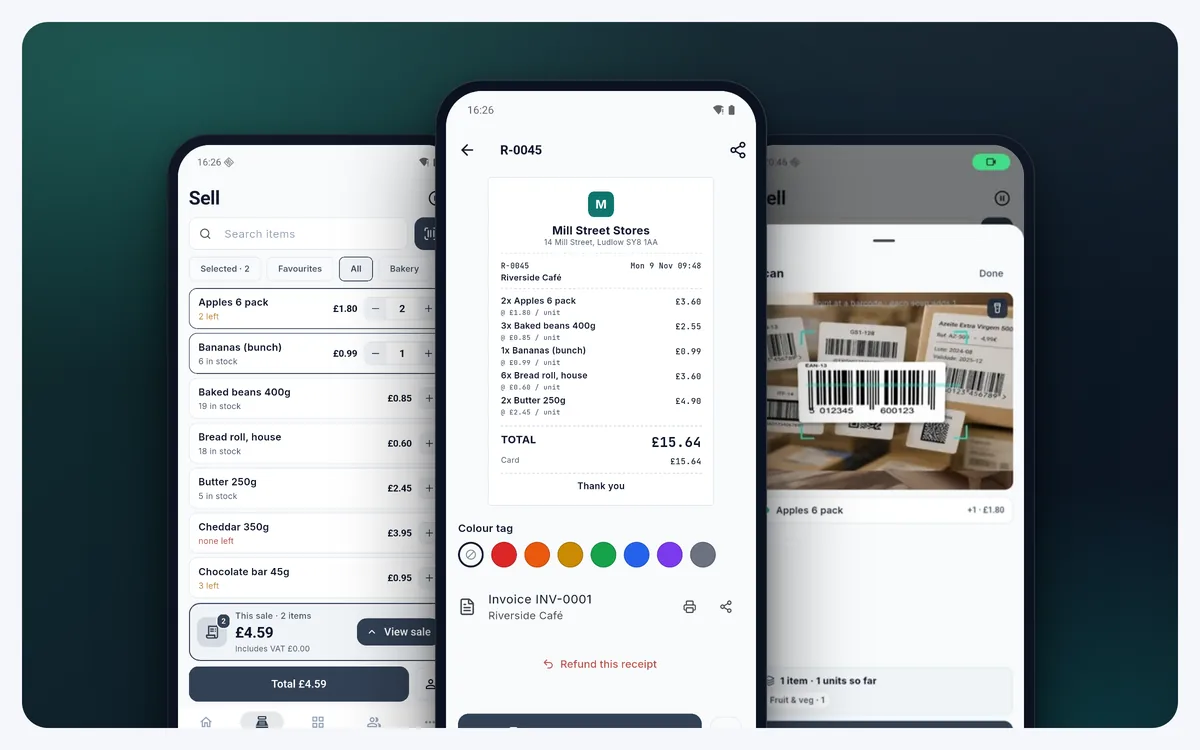
Selling by tap or scan, receipts and invoices, deliveries and use-by dates, counting the shelf, reordering, and the same shop in a web browser.
What defines it
Every feature
Ring it up in three taps
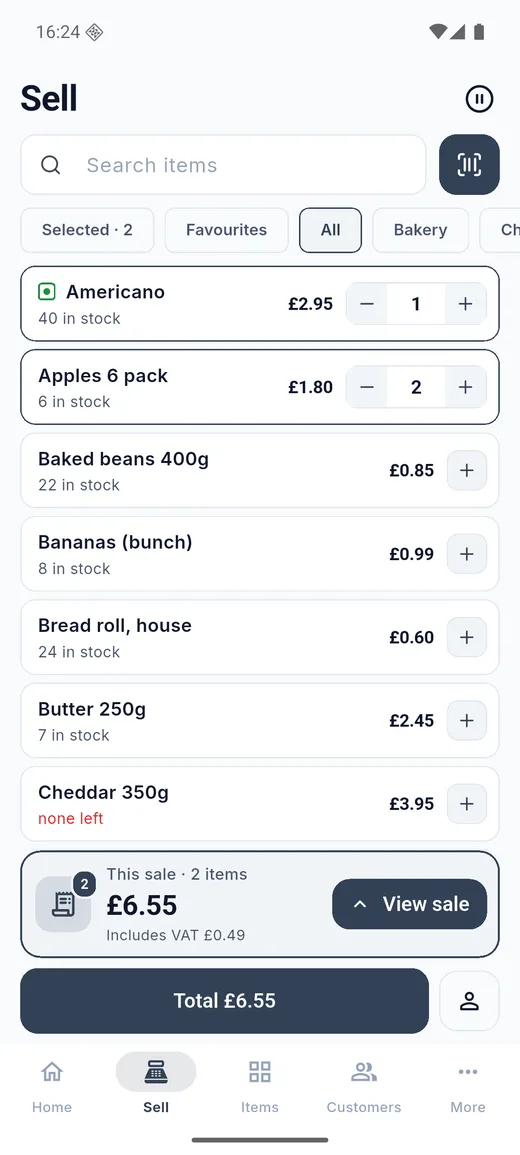
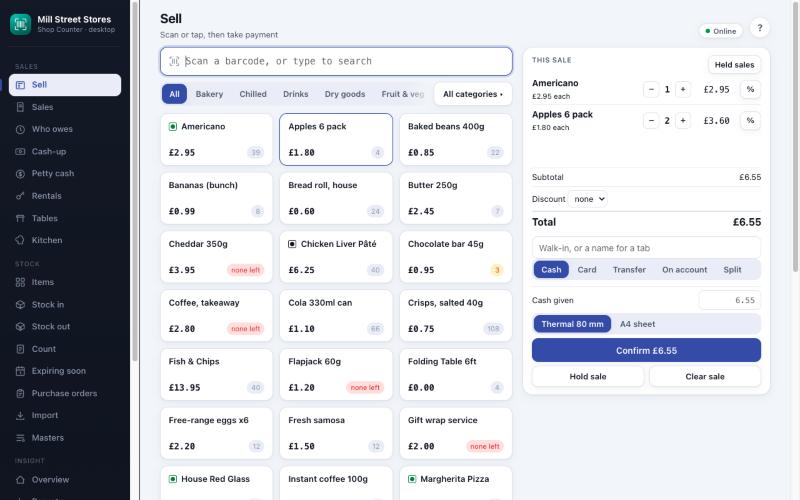
Scan a barcode or tap an item and it goes into the sale; what is in the sale rises to the top of the list so you can always see it. Take cash with the change worked out, card, QR, bank transfer, on account, or part of each. Hold a sale while you serve someone else, give a discount or change a price with a reason, and print the receipt, share it by message, or give none. Weighed items, case barcodes and multi-buy promotions are handled for you.
Every shelf, counted
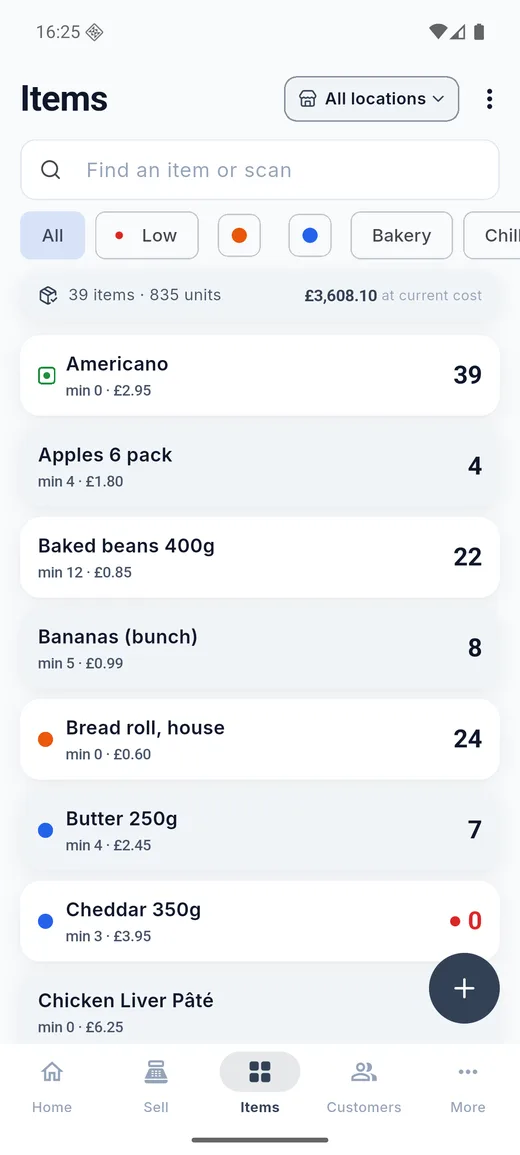
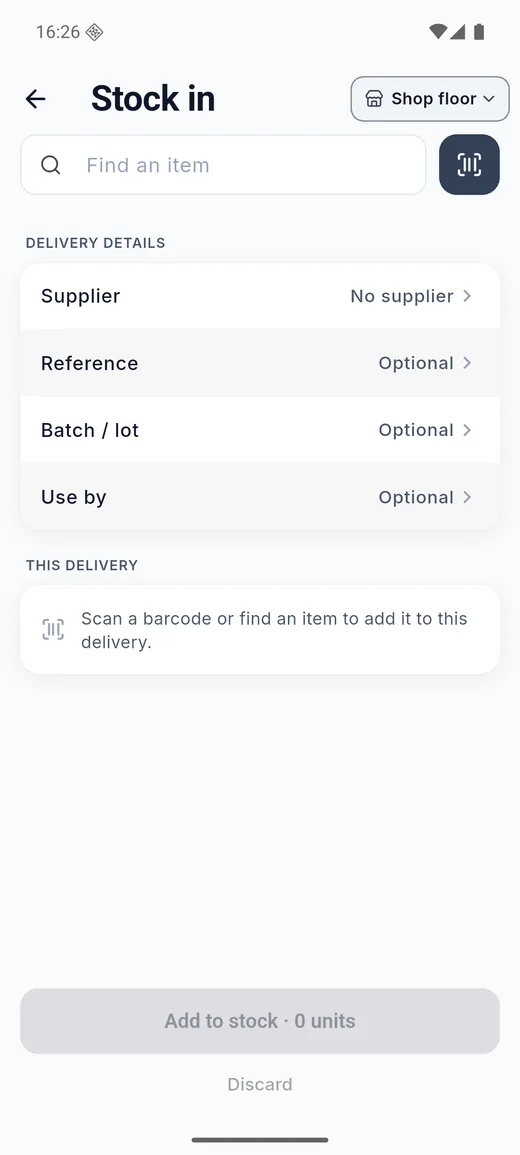
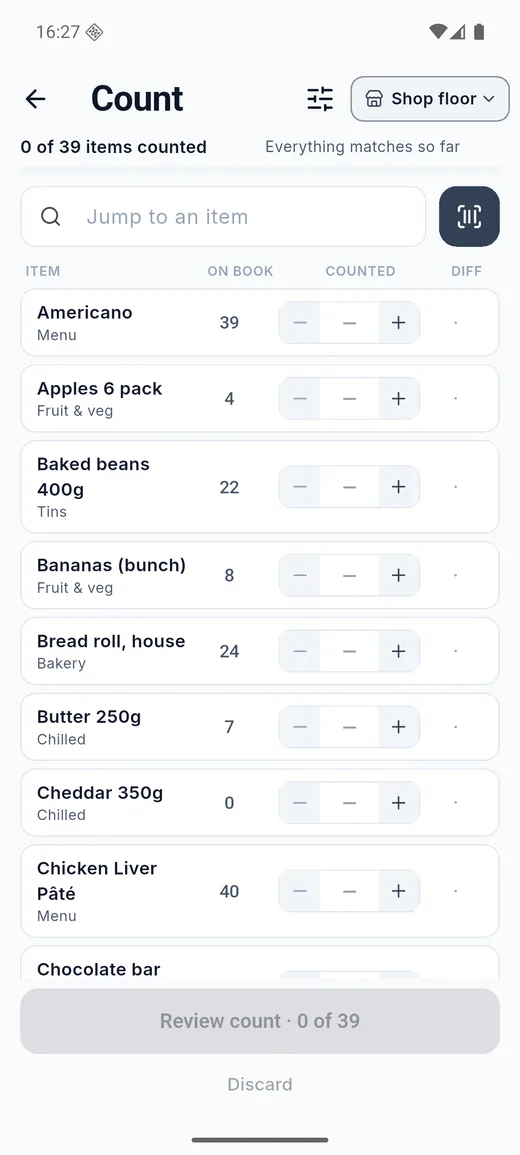
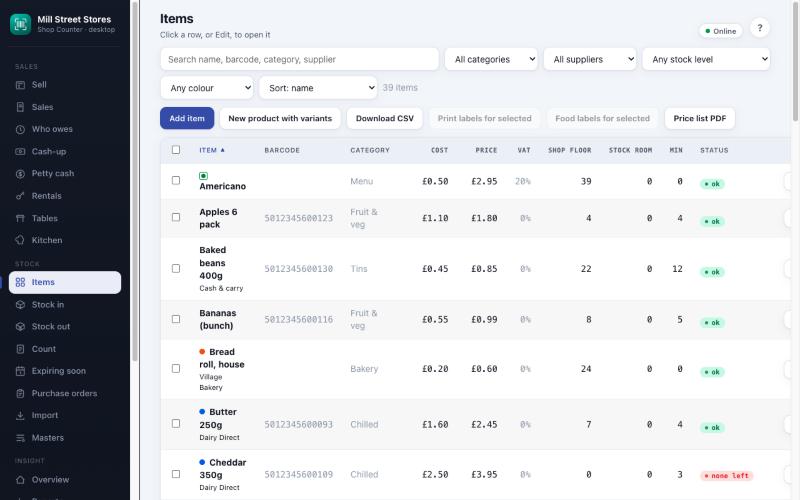
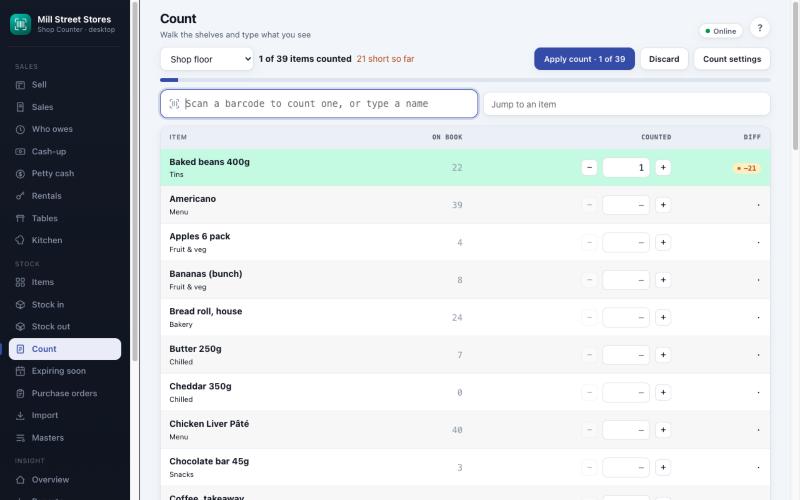
Items carry a cost, a price, tax, a minimum and a reorder amount, a photo and a barcode or two. Receive a delivery with a supplier, a reference, a batch and a use-by date. Take stock out as waste, damage, own use or a job. Count the shelf with the figure you expect beside the one you find; counted items jump to the top, the app shows what is out, and applying the count corrects stock and keeps the record. Stock sits in as many places as you have: shop floor, stock room, a market stall.
Know what to order
The reorder list groups what is low by supplier, with how many and about what it will cost, ready to share or turn into a purchase order. Purchase orders are received against the delivery, and the app tracks what you still owe each supplier. An expiring-soon list shows what to sell first.
Customers, tabs and loyalty
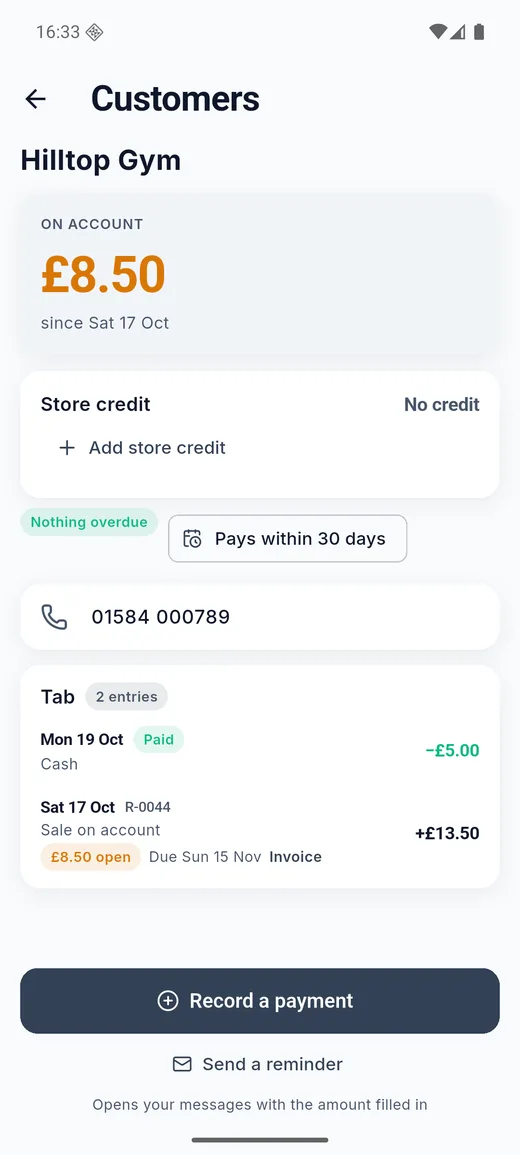
Put a sale on a customer's tab and see who owes what, what is overdue and when it was due. Record payments, send a reminder with the amount filled in, turn a sale into an invoice, and give store credit. Optional loyalty points turn spending into store credit, and a refund takes the points back.
Close the day with confidence
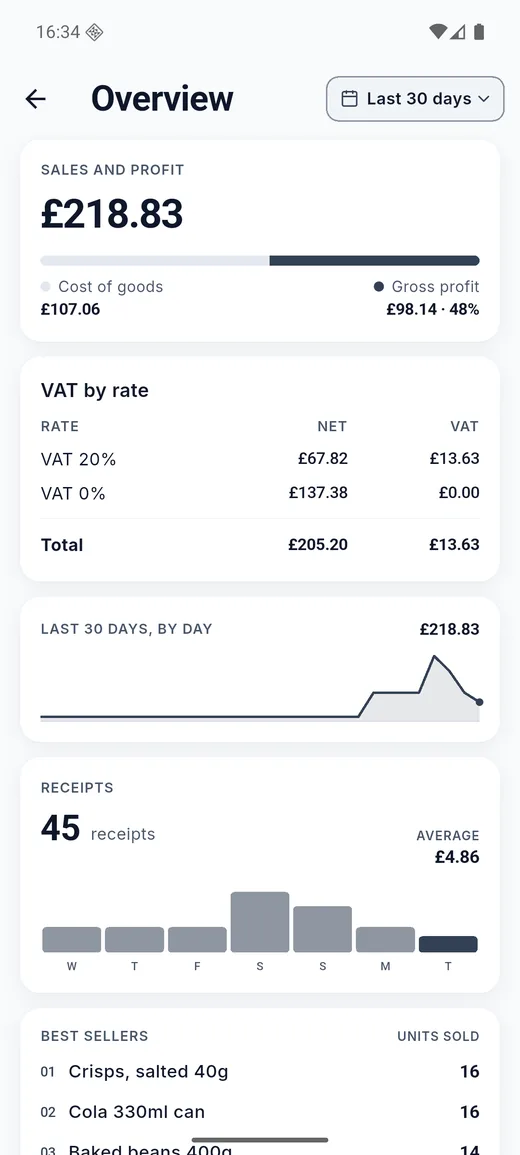
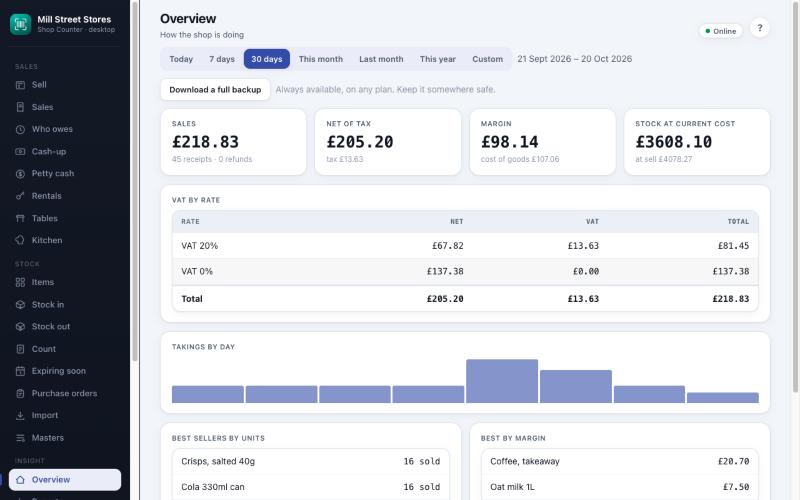
The day book shows what was taken and how it was paid, profit, and tax by rate. Cash-up runs the drawer in shifts with an opening float, cash paid in and out, and a count at the end. A petty cash tin keeps small spending apart. Everything has a who and a when in the audit trail.
Reports in plain words
Sales, cost, profit and tax for any dates; which shelves earn and when the shop is busy; margins and what is sold below cost; slow movers and the money tied up in them; stock-outs and shrinkage; spend and sales by supplier; this month against last; stock value on any past day; and sales by staff.
For cafés and restaurants
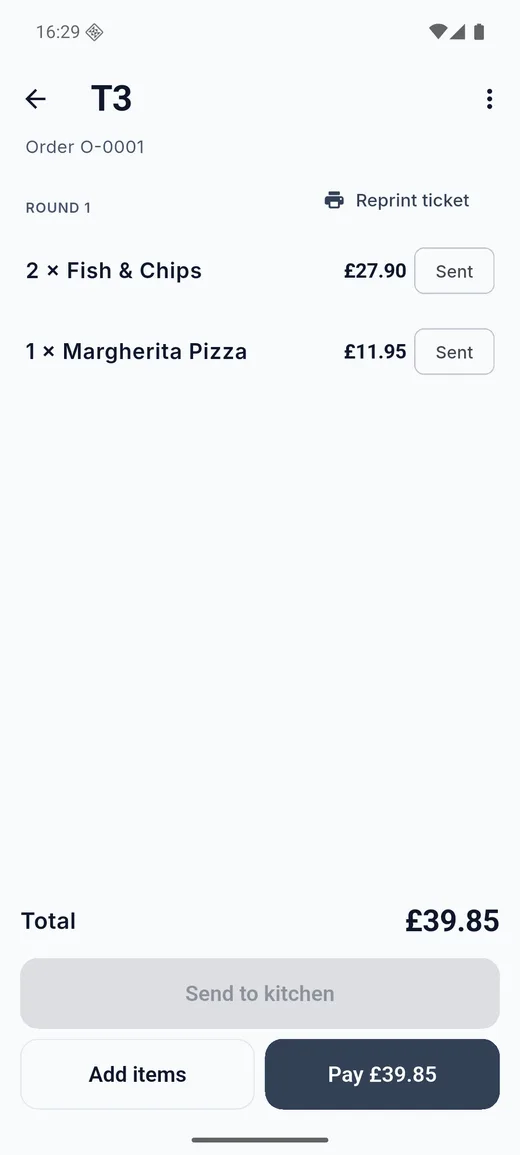
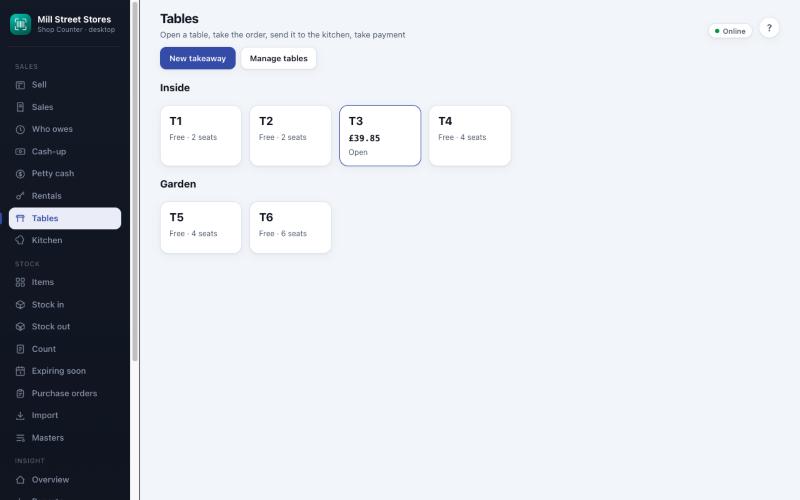
Switch on tables and orders. Open a table, add dishes from a menu with courses, stations and diet marks, send the round to the kitchen or bar printer, and mark dishes sold out for the day. Move or merge tables, take takeaways and deliveries, split a bill by dishes or evenly between guests, and take a tip that stays apart from your takings. The kitchen has a screen of its own.
For shops that hire things out
Switch on rentals. Set hourly, daily and weekly rates, a deposit and a late fee on any item, hire it out for a customer with a due date, and take it back in whole or in part. The app charges the cheapest fair price for the time out, adds late fees and any damage or loss charge, and puts it on a normal receipt. A cash deposit goes through the drawer and comes back out when the hire ends.
Your shop in a browser
Desktop access serves the shop to a browser on the same Wi-Fi, with nothing on the internet: a big till for a computer, a keyboard-friendly item list and count, imports and labels, a waiter page for a second phone, a kitchen screen for a tablet, and a customer display. Sign-in with staff PINs and roles decides what each person can do.
Receipts and printers
A receipt for every sale on screen, by message or on paper. Print to an 80 mm thermal printer on your Wi-Fi with its cutter and cash drawer, and send kitchen and bar tickets to printers of their own. A tax receipt follows the rates you set.
Your data stays yours
Everything is stored on your phone. No account, no sign-up, no server holding your shop. Save a compressed copy wherever you like, keep the newest copies on the phone, and restore on a new phone. Backups are free on every plan, and so are receipts and invoices. Exports of reports and lists come with the subscription. Old audit entries are tidied after three years.
Free, with an ad-free option
Every screen works on the free plan, with receipts, invoices and backups included. The free version shows a full-screen advert at most every 20 minutes, and a banner on the Desktop access screen. The optional yearly subscription removes the adverts, opens Desktop access in full, and adds exports of reports and lists as CSV, PDF and XML.
On Android
Android 16 emulator, demo shop
On a computer
Desktop access: the same shop in a browser on the same Wi-Fi as the phone
How to use Shop Counter
Every screen and switch, in the order you meet them.
First run
Your shop details and your tax settings, then you are selling.
- Open Shop and settings and enter your shop name, address and the footer for receipts.
- Choose your currency, the tax rates you charge, and whether your prices already include tax.
- Add your places (shop floor, stock room) and then your items, by hand, by scanning, or by importing a spreadsheet in Desktop access.
Selling
- Open the Sell tab. Scan or tap items into the sale, then tap Total.
- Choose how it is paid: cash with change, card, QR, transfer, on account or split. Print or share the receipt.
- Refund a receipt from the Day book and the stock goes back on the shelf.
Stock
- Stock in records a delivery; Stock out records waste, damage, own use and jobs.
- Count stock walks the shelf; counted items jump to the top, and applying the count corrects the books.
- The Reorder list shows what is low by supplier, ready to share or turn into a purchase order.
Cafés, restaurants and hire
- Turn on Restaurant or Rentals in More, under Shop features.
- Open a table, add dishes, send them to the kitchen and take payment, with a tip and a split if you need one.
- Hire an item out with a due date and a deposit and take it back for a charge that includes any late fee.
Backup and safety
- Save a copy of everything from More and keep it somewhere other than the phone.
- Turn on the app lock, and give staff PINs and roles to limit what each person can do.
- Remember that the full step-by-step guide, with screenshots, is at brightscalelabs.com/shop-counter/guide/.
At a glance
- Platforms
- iPhone and iPad (iOS 15 or later), Android 7.0 or later
- Price
- Free, with a full-screen advert at most every 20 minutes. An optional yearly subscription, about £15 a year, removes the adverts, opens Desktop access in full and adds exports
- Languages
- English
- Currencies
- Thirty-one, including GBP, EUR, USD, INR, AUD, CAD, NZD, CHF, SEK, NOK, DKK, PLN, JPY, SGD, HKD, ZAR, AED, BRL, MXN and more
- Your data
- On your device only; backups are files you keep wherever you choose
- Status
- On Google Play and the App Store
In short
Get Shop Counter
Free, with everything kept on your phone.
Scan with your phone's camera to get it on your phone Shop Counter in three minutes
Three minutes, every screen.
Other brands
-
FinToolSuite
Personal finance and investment calculators that remove the guesswork.
-
FireMathLab
FIRE and retirement-date calculators that show their working.
-
BuildMetricLab
Construction and engineering calculators for faster, sharper estimates.
-
FitMetricLab
Fitness and health metric tools that turn data into progress.
-
PrintablesWorld
Printable kits, planners, puzzles, and smart PDF utilities.
-
RunTheTests
Free browser-based device, network, and privacy tests.
-
MotorMath
Pure-math car calculators for total cost of ownership and EV comparison.
-
PlainEstimate
Estimates and invoices that stay on your own machine.
-
Expense Diary
A local-first spending diary for iPhone, iPad and Android: safe to spend, bills, jars, reports and a road to financial independence.
-
Plain Estimate: Invoice Maker
Quote at the door, get it signed on the spot, invoice it later. No account, nothing capped, and your documents stay on your phone.
-
Asset Log: Maintenance Tracker
Stick a QR tag on every machine, tool and vehicle. Scan it to see its whole service history, log the work in seconds, and get reminded before the next service is due.
Get Shop Counter
Free, with everything kept on your phone.
Scan to get it
on your phone